
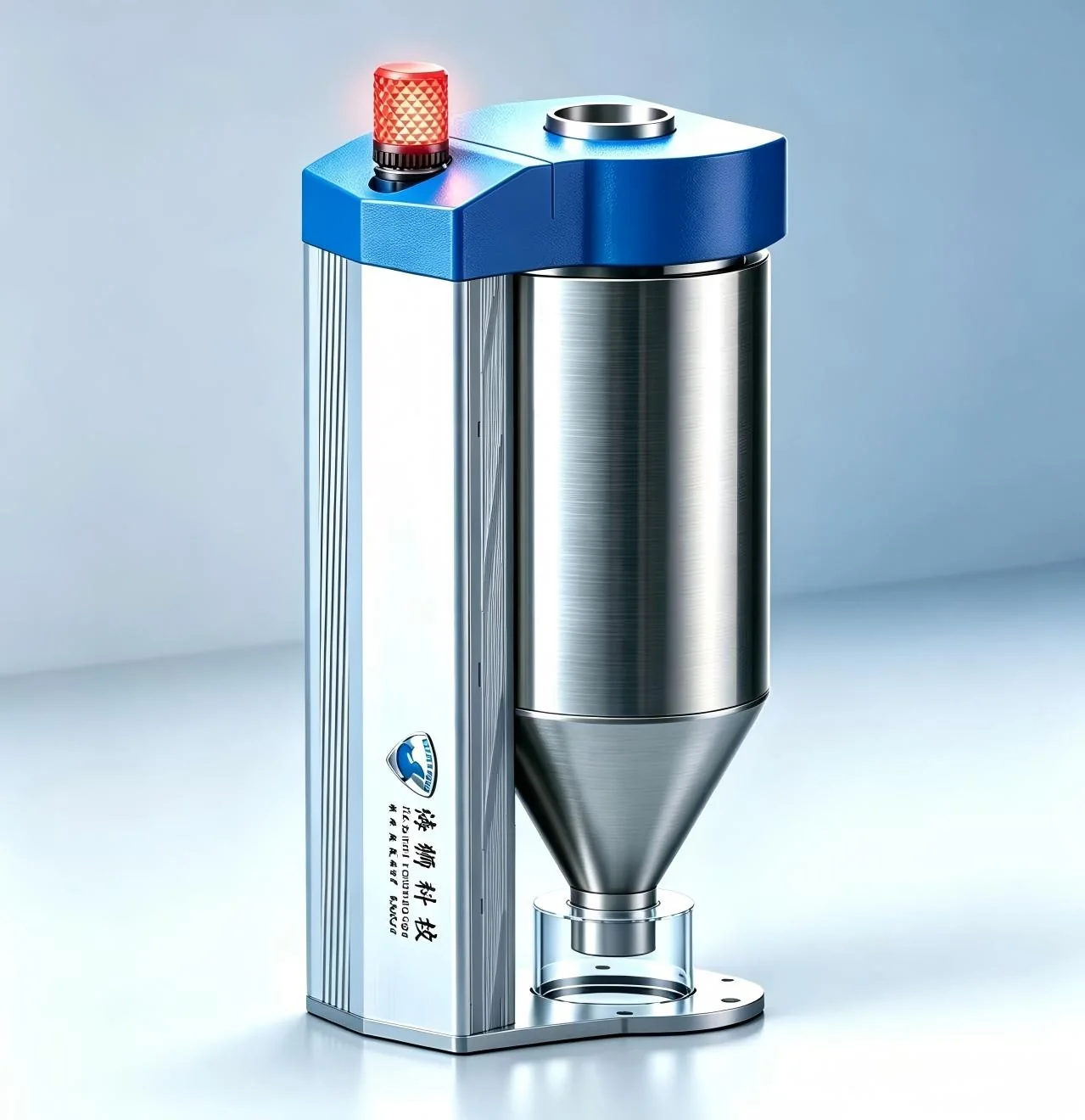
What does a fraction of a millimetre of extra sheath cost in a year?
You cannot sample a sheath the way you can cut a pipe. Run thick and nothing looks wrong — every drum is simply carrying material you gave away. Run thin and it surfaces at inspection. The gravimetric system sits at the feed throat, works out weight per metre live, and closes the loop on screw and haul-off speed to hold those tenths where you set them.
Seven things the system settles for a line
Why a conventional line needs it
| Stage | Without a control system | With Sealion gravimetric control |
|---|---|---|
| Start-up | Weight per metre is unknown; a long length must run out before thickness can be judged, and repeated adjustments waste material, time and labour. | Weight-per-metre data appears on screen from the first moment, shortening start-up; haul-off and extrusion speed can be trimmed live, saving material and time. |
| Running | Depends on the operator's experience; the process can't be monitored and deviation is unpredictable. | Extruder and haul-off are driven automatically from the weight recipe, removing human error; weight is monitored throughout and any deviation raises an alarm. |
| Material change | Every supplier's resin behaves differently; the weight shift is unknown and scrap is unavoidable. | However the raw material changes, the system detects and corrects it automatically. |
| Traceability | Once in the warehouse, nothing can be traced. | The whole run is recorded and stored, and can be traced afterwards. |
The same line, recorded before and after control
These 20 readings come from Sealion's own product manual — not a simulation, but weight-per-metre logged on one line, before and after.
Show the raw data (20 readings from the manual)
| Without control system | With Sealion gravimetric control | ||||
|---|---|---|---|---|---|
| # | Time | Weight | # | Time | Weight |
| 1 | 16:12 | 174 | 11 | 00:14 | 164 |
| 2 | 16:15 | 173 | 12 | 00:31 | 164 |
| 3 | 16:26 | 165 | 13 | 00:50 | 164 |
| 4 | 16:59 | 166 | 14 | 01:16 | 164 |
| 5 | 17:19 | 167 | 15 | 01:38 | 164 |
| 6 | 17:41 | 165 | 16 | 01:57 | 164 |
| 7 | 20:18 | 167 | 17 | 02:30 | 164 |
| 8 | 20:39 | 162 | 18 | 03:00 | 165 |
| 9 | 21:21 | 167 | 19 | 03:15 | 165 |
| 10 | 21:43 | 166 | 20 | 03:40 | 165 |
Source: Sealion Technology Product Manual, Gravimetric Control System — Main function. Spread and standard deviation are computed directly from these readings.
Technical parameters
| Power supply | AC220V | Operating temp. | -10~50℃ |
| Max. humidity | 90%R.H, non-condensing | Power consumption | 10W |
| Load cell range | 10 / 20 / 30 / 50kg | Input sensitivity | 0.5uV/d |
| Input range | 0.2~25mV | A/D resolution | 24bit |
| D/A resolution | 12bit | Conversion | Sigma-Delta |
| A/D speed | 4000 /s | Non-linearity | 0.01%F.S |
| Gain drift | 10PPM/℃ | Max. display accuracy | 1/10000 |
| Control mode | Extruder or haul-off | Control accuracy | 0.4/100 |
| Hopper volume | 7L / 22L / 48L / 52L | Height | 1000mm |
| Total weight | 60KG |
Model configurations
Configurations can be tailored to your line.
Single-extruder gravimetric control
| Model | Output | Size |
|---|---|---|
| MIXSCAN7 | 300 Kg/h | 404×500×726 |
| MIXSCAN22 | 500 Kg/h | 404×500×886 |
| MIXSCAN48 | 800 Kg/h | 404×500×996 |
| MIXSCAN52 | ≥1000 Kg/h | 404×500×1096 |
Twin-extruder co-extrusion gravimetric control
| Model | Output | Size |
|---|---|---|
| Mixscan7-7 | 300 + 300 Kg/h | 404×500×726 (×2) |
| Mixscan22-7 | 500 + 300 Kg/h | 404×500×886 / 726 |
| Mixscan48-7 | 800 + 300 Kg/h | 404×500×996 / 726 |
| Mixscan52-7 | 1000 + 300 Kg/h | 404×500×1096 / 726 |
| Mixscan22-22 | 500 + 500 Kg/h | 404×500×886 (×2) |
Triple-extruder co-extrusion gravimetric control
| Model | Output | Size |
|---|---|---|
| MIXSCAN 7-7-7 | 300 × 3 Kg/h | 404×500×726 (×3) |
| MIXSCAN 22-7-7 | 500 + 300 + 300 Kg/h | 404×500×886 / 726 / 726 |
| MIXSCAN 48-7-7 | 800 + 300 + 300 Kg/h | 404×500×996 / 726 / 726 |
What the gravimetric control system is
Meter weight is the weight of one metre of product. It can be calculated from the product's dimensions and the density of the material, and holding it constant during production largely determines how good the product is.
The Sealion gravimetric control system is installed at the top of the extruder's feed port. Using PID (proportional-integral-derivative) closed-loop control, it automatically and strictly controls the weight per metre, continuously regulating screw speed, haul-off speed and feed rate at any moment of the run.
How the system works
The system carries an intelligent weighing device: the hopper valve opens and closes in a continuous cycle so that every batch falls freely under identical pressure. Each opening and closing is governed by the microcomputer in this sequence:
- 1FillThe valve closes once material reaches 80% of the hopper.
- 2FeedMaterial falls freely, feeding the main screw.
- 3CycleAt 20% the valve opens, refills, and the next cycle begins.
Technical structure of the gravimetric control system
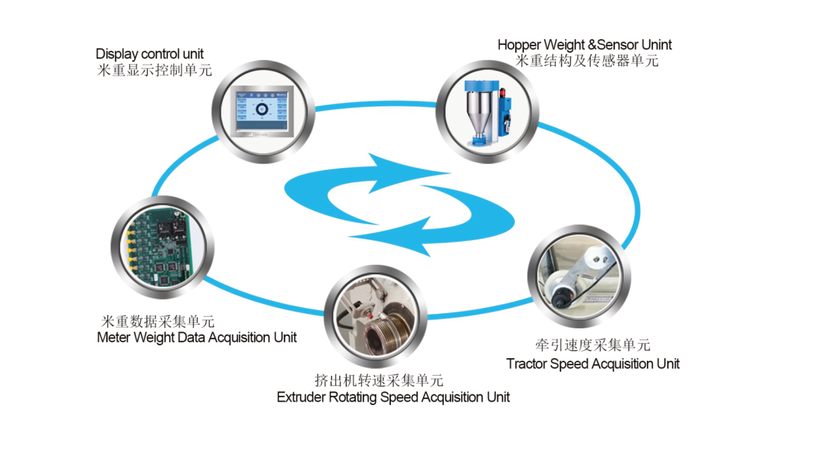
Mechanical parts
Load cell, pneumatic cylinder, hopper, hopper retaining ring, hopper hooks, acrylic sleeve, aluminium feed-throat flange, silicone feed-throat flange, shut-off valve, extruder feed-throat mounting seat, main control box, air filter-regulator and alarm beacon.
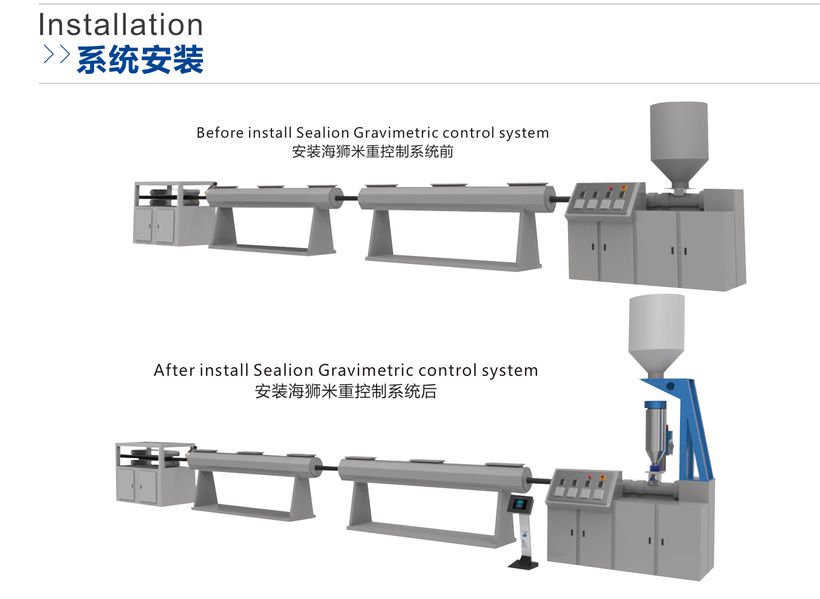
Installation
The system installs on top of the extruder's feed port, without altering the existing line layout.
Four control modes
One system, four ways to hand over control — chosen to suit the line and the process goal. Whichever end the system takes over, the other stays available for the operator to trim by hand, which is what matters most on the floor.
Under wall-thickness control, if the pipe comes out thin or thick, change the target in the gravimetric or spec setting — no need to touch the extruder. The system raises or lowers the screw or haul-off itself.
Weight-per-metre calculation & four ways to start
Enter outer diameter, wall thickness and material density and the system derives the weight per metre; set OD, density and weight per metre instead and it derives the wall thickness.
weight/m = (OD − wall) × wall × 3.14 × density ÷ 1000The line can be started four ways, whichever suits the crew: by frequency (Hz), by screw speed, by haul-off speed, or by output. Starting on frequency is usually the clearest right after installation.
Recipes, changeover and thickening
Main functions
Output statistics, pass rate & material planning
The system is not only a controller — it is also the line's production ledger.
Alarm-linked protection & curve diagnostics
An alarm is more than a notification. With alarms enabled the system acts, rather than letting a faulty line keep making scrap.
Interface language, connectivity & other practical features
Cable edition: drum-based production and sheath conversion
Cable ships by the drum and pipe ships by the length — different accounting, different software.
Return on investment
The system typically saves 2%–5% of raw material, sometimes more. The figures below assume 2.5% savings at a material price of RMB 9.00/kg.
| Line output | Running time | Saving | Material price | Annual saving |
|---|---|---|---|---|
| 650 kg/h | 16h/day × 200 days/yr | 2.5% | RMB 9.00/kg | RMB 468,000/yr |
| 350 kg/h | 12h/day × 200 days/yr | 2.5% | RMB 9.00/kg | RMB 189,000/yr |
| 250 kg/h | 12h/day × 180 days/yr | 2.5% | RMB 9.00/kg | RMB 121,500/yr |
Source: ROI examples in the Sealion cable-gravimetric brochure. Actual savings vary with output, hours, price and saving rate.
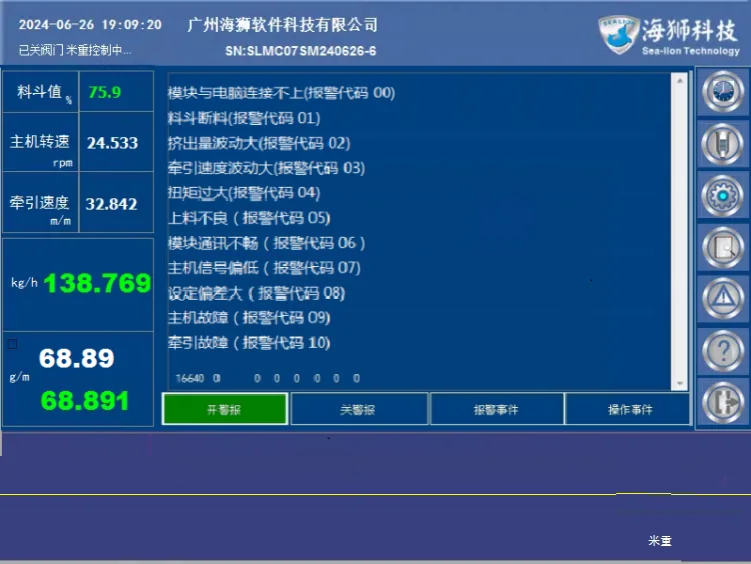
Cable line and control screens
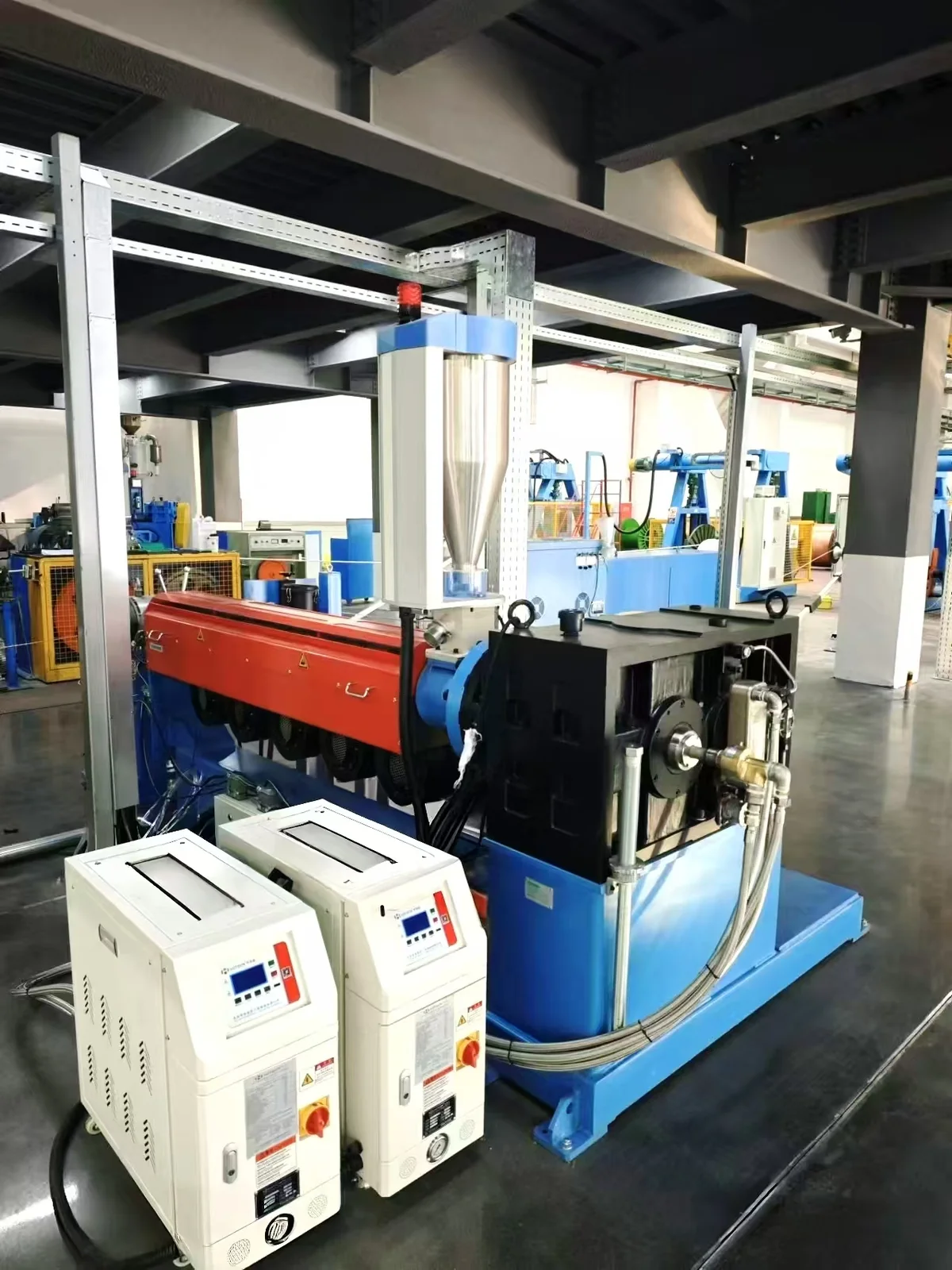
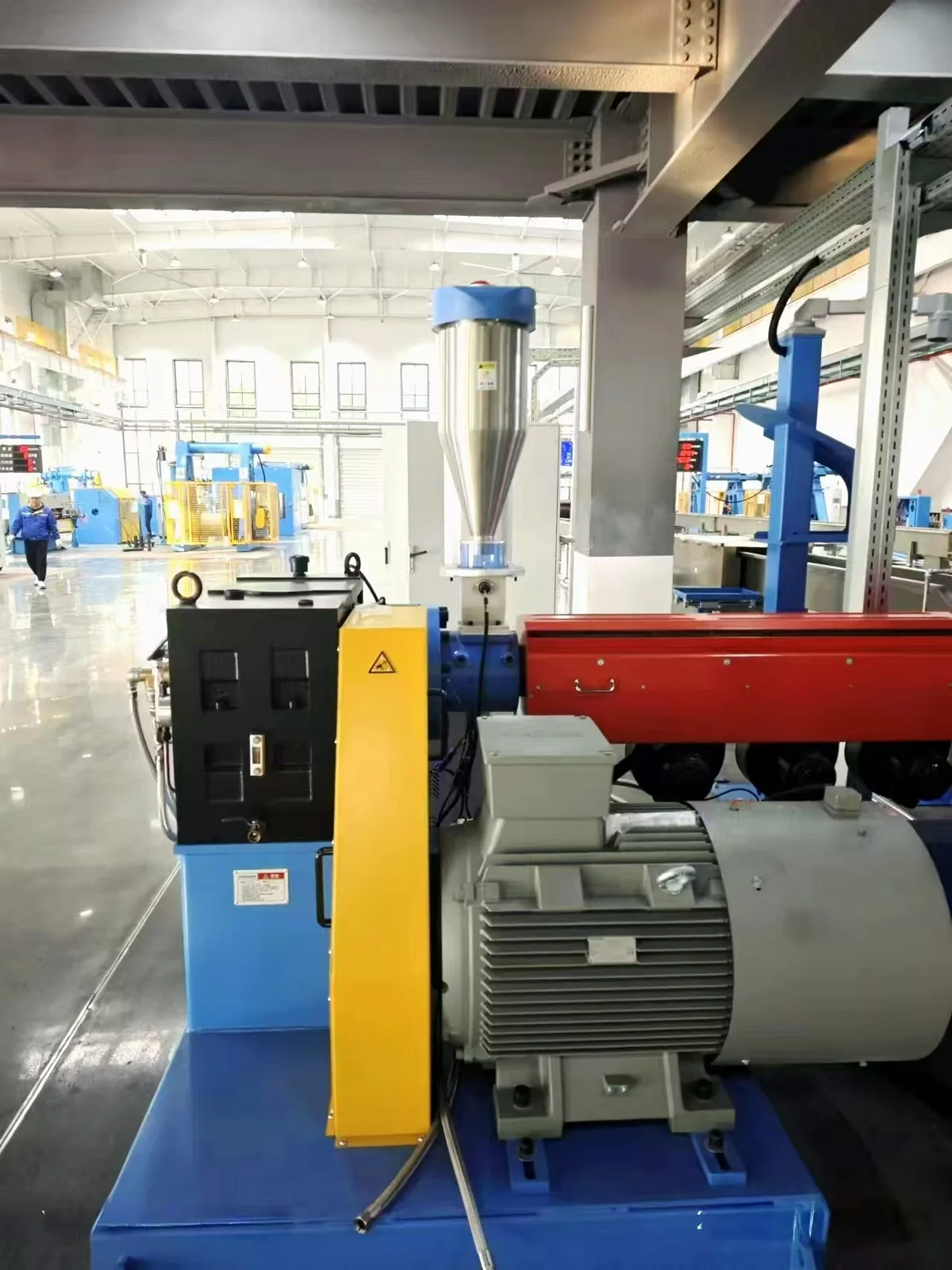
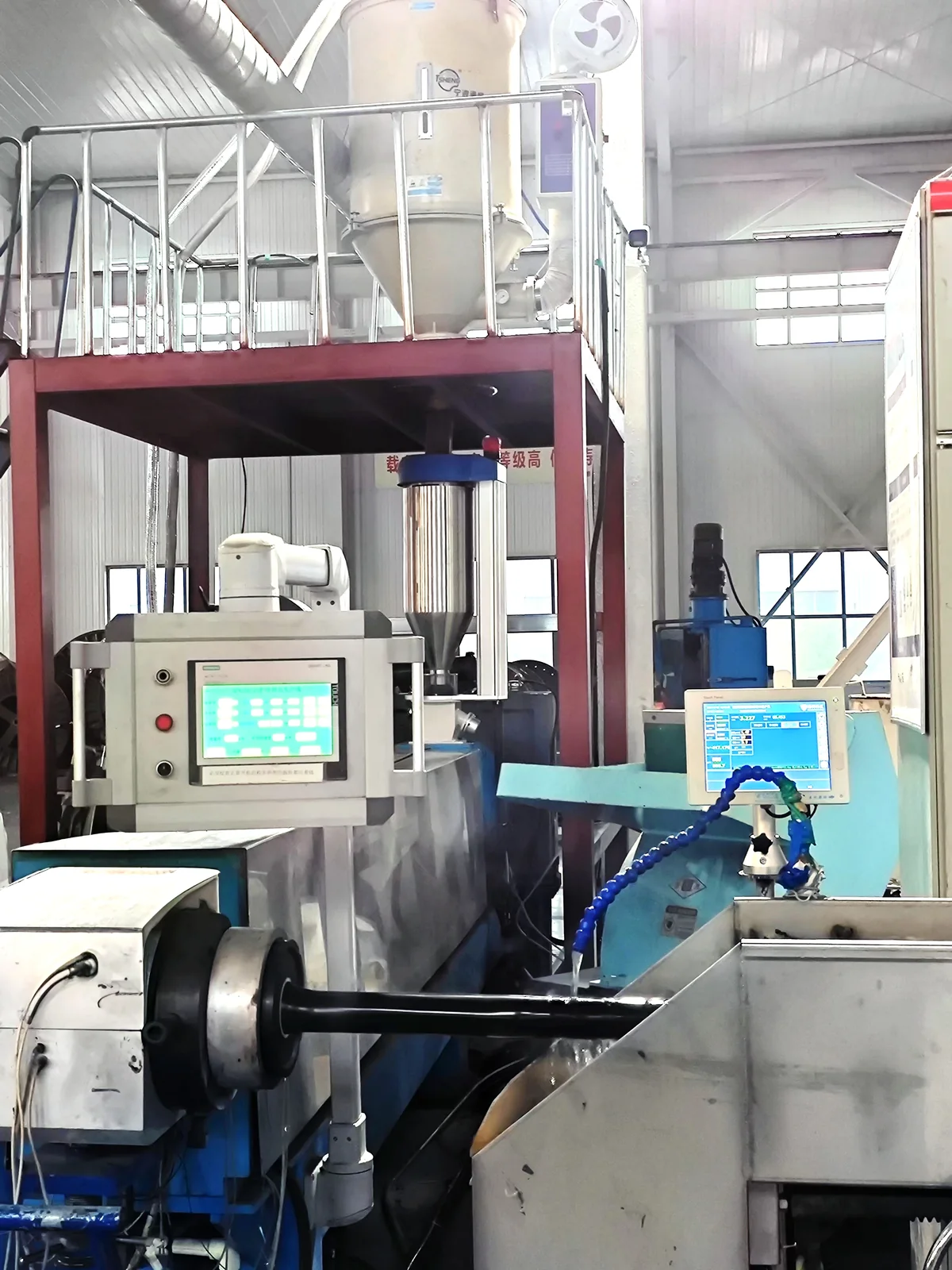
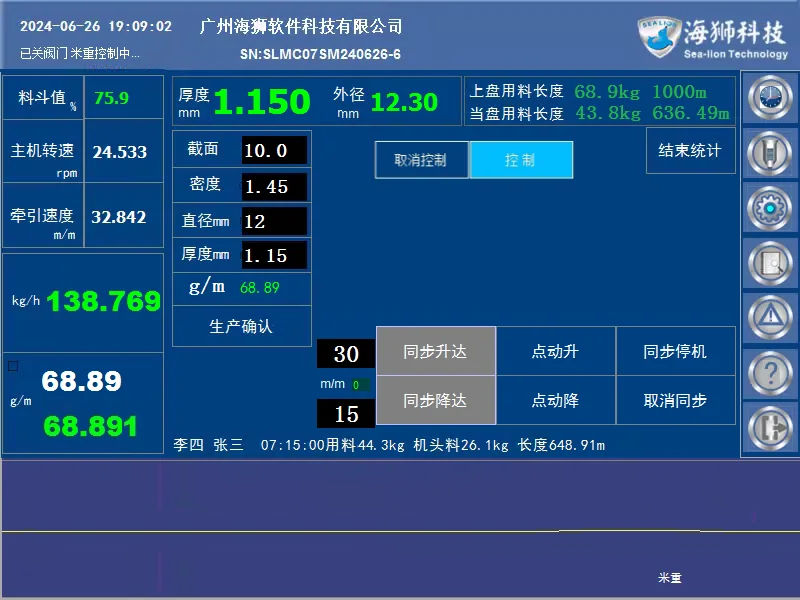
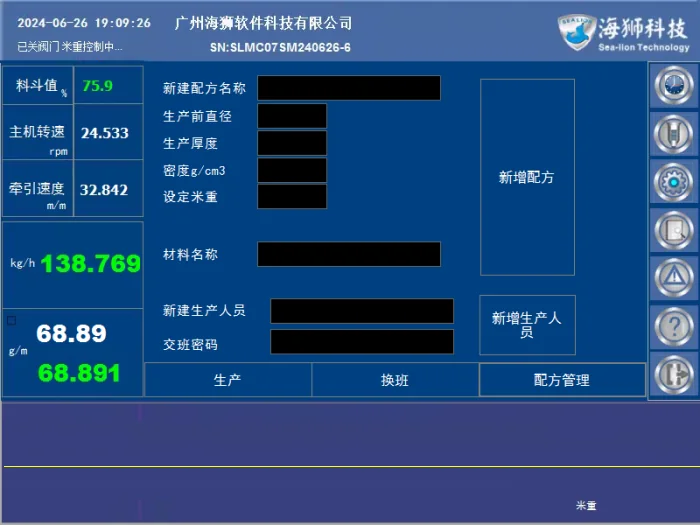
Video
Alarm codes & on-line checksShow the 18 alarm codes and on-line checks
Written for line staff at sites already running the system. Skip it while selecting.
Alarm codes & on-line checks
When the system alarms, a code appears on screen. The table below gives what each code means and the checks line staff can make without opening the cabinet and without working on live equipment. If the alarm persists after those checks, contact Sealion service — anything involving measurement inside the cabinet, wiring changes or part replacement is for our engineers.
| Code | Meaning | Checks you can make on the line |
|---|---|---|
| 00 | Module cannot connect to the PC | Power the display off and on a few times to see if it recovers; check that the display-to-controller communication cable is firmly seated and undamaged. |
| 01 | Hopper starved | Is the silo empty? Is the drop path blocked or bridging? Is air pressure 0.3–0.4MPa? Does the shut-off mechanism move freely, and is anything propping up the cylinder base? |
| 02 | Output fluctuating | Is the hopper filling and discharging normally? Any disturbance near the weighing point (hopper vibration, blockage, excessive throat temperature)? Watch the silo — is the screw taking material unevenly? |
| 03 | Haul-off speed fluctuating | Is the encoder connector fully seated and the cable undamaged? Is the encoder mounted square and centred? Is the coupling tight? Is the supply healthy? |
| 05 | Excessive torque | The extruder is drawing overload current. Reduce screw speed first, then find the cause — commonly the screw is starved or the melt is too cold. |
| 06 | Poor feeding | Is the silo empty? Is the loader working? |
| 07 | Poor link between gravimetric and haul-off modules | Is the cable between the two modules fully seated and undamaged? Any strong source of electrical interference nearby? |
| 09 | Extruder signal low | Check the extruder control cable is firmly seated and undamaged. If it still alarms, an engineer needs to measure on site. |
| 11 | Large deviation between measured and set value | Look at the haul-off and output curves: if the haul-off curve is abnormal see code 03; if the output curve is abnormal see code 02. |
| 12 | Extruder fault | Has the extruder breaker tripped? Is the extruder start signal on? |
| 13 | Haul-off fault | Has the haul-off breaker tripped? Is the haul-off start signal on? |
| 14 | Haul-off signal at maximum | The haul-off is near the inverter's 50Hz ceiling. Reduce haul-off speed and establish why such a high speed was needed. |
| 15 | Measured weight per metre far from setpoint | Review the haul-off and output curves and work through the checks for codes 02 and 03. |
| 17 | Extruder or haul-off control signal exceeds the read signal by 30% | Raised when overshoot occurs in steady state. Check the curves to see whether the extrusion or the haul-off end is causing it. |
| 19 | Abnormal screw speed | Is the extruder speed curve smooth? If it is, the speed pick-up is the likely cause — check the proximity switch and sensing collar for movement and correct gap. If it is not smooth, check whether output fluctuation is driving the speed. |
| 20 | No or very low haul-off speed reading | Is the encoder wheel turning with the pipe, and is the encoder shaft rotating? Is the encoder cable fully seated? If there is still no reading, an engineer must assess the encoder or module. |
| none | Hopper value never reaches the set upper limit | Usually caused by a large change in material density, so a full hopper still falls short of the threshold; output is then neither calculated nor controlled. The hopper thresholds need adjusting — contact service. |
| none | Hopper stays full and output will not rise | Confirm valve auto mode is on; confirm air supply is normal (0.3–0.4MPa); watch whether the shut-off device moves freely or is sticking. If it is still wrong, contact service. |
Sealion provides lifetime maintenance and a two-year free warranty. Please do not attempt diagnosis that involves live measurement inside the cabinet, wiring changes, or replacing modules and parts — leave those to a Sealion engineer.
Tell an engineer about your cable spec
Diameter range, sheath material, output and how you wind it — with those we can answer with something that fits.
Talk to an engineer